The right file per brand
Every brand expects its own format. The Converter writes that file and you download it — transferring works the way you are used to.
- Trimble .svd/.svl · Topcon .tp3 · Leica .dsz · rest LandXML
- Ready to download, no detour through an intermediate format
- Sending straight to the machine comes later
- The right units and settings per brand
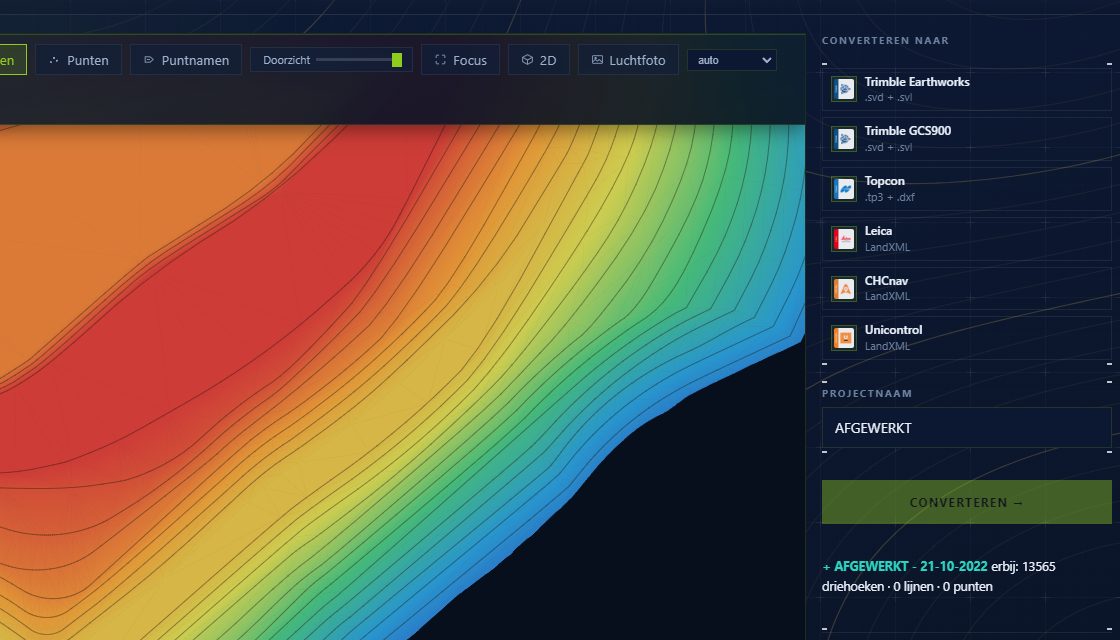
Pick the brand and the Converter writes the right format: Trimble .svd/.svl, Topcon .tp3, Leica .dsz or LandXML for the rest. No more manual import/export.
The file lands in your downloads and travels the way you are used to — on the stick or through your own folder. Sending straight to the machine is not in there yet; that comes later.
Reads (import)
Writes (export)
Right format
Automatic per brand (.svd/.svl/.tp3/.dsz/LandXML)
Delivery
Download and transfer the way you are used to
Later
Direct sending is planned
Prepares the file for each machine brand
Downloads it and copies it to the stick
Knows the control system reads it straight away
You might also like
Conversion
Convert any format to every machine brand, both ways — CAD-independent, no double work.
More →3D viewer
View any machine file or design in 3D right away — orbit, measure and inspect before it goes to site.
More →Coordinate systems
Lambert for Belgium, RD for the Netherlands, and the French and Luxembourg systems — the right one is preset, so your design lands where it belongs.
More →Want to try it yourself?
The MV3D Converter is coming soon. Leave your email.